Windows · offline · one-time purchase

A record of what you own, that never leaves your computer.

Vault-X keeps an encrypted inventory of a collection: watches, wine, jewellery, art, bullion. Photographs and video sit against every item, and one click produces the itemised PDF your insurer asks for. It makes no network requests. There is no account and nothing to sync.

One-time payment. No subscription, no account, no renewal.

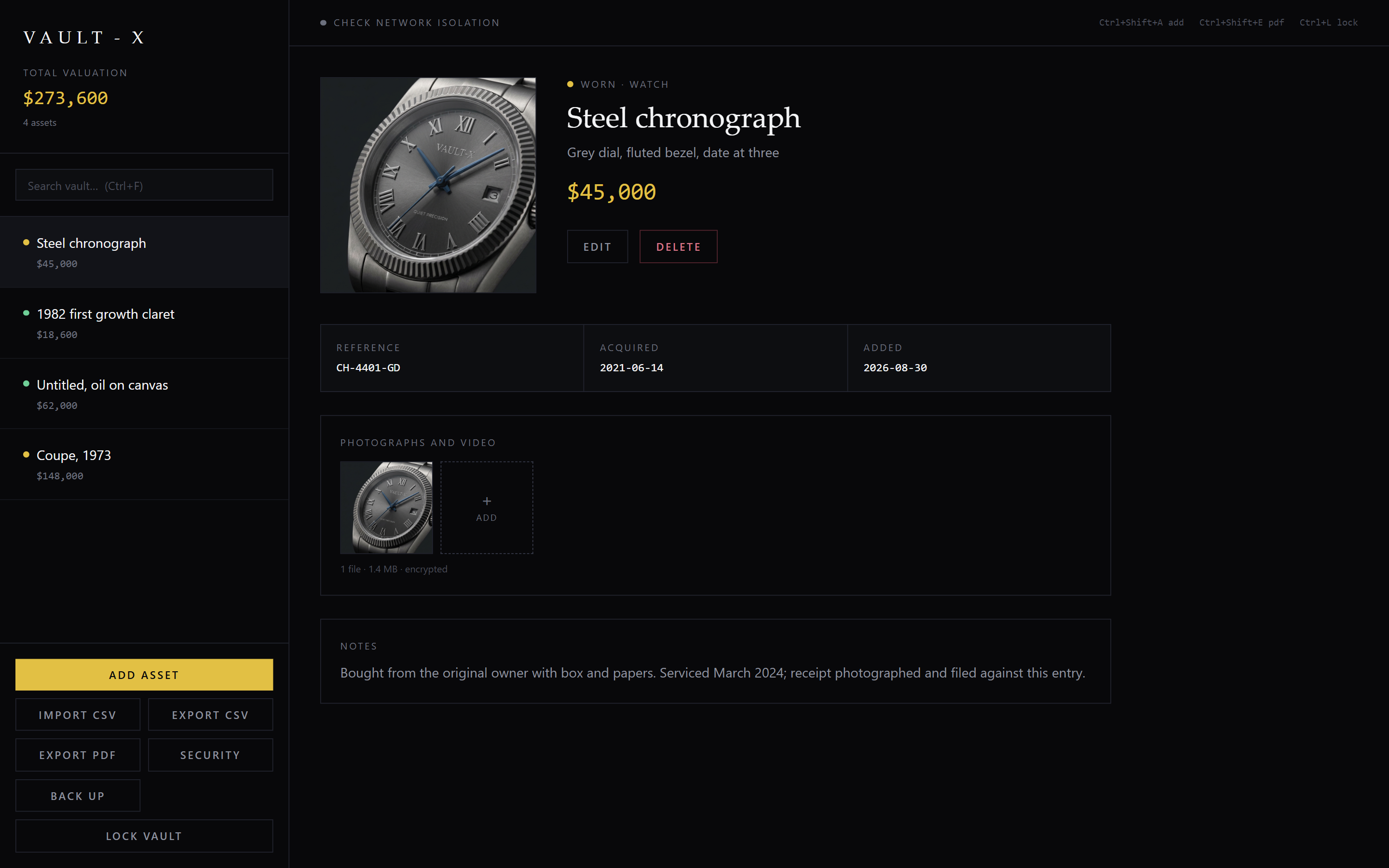
The Vault-X main window: a sidebar listing items with valuations and a total, beside a detail panel showing a steel chronograph with its reference, acquisition date, encrypted photograph and notes.
The whole collection in one window. Running total on the left, full record on the right, and every photograph encrypted with the rest of it.
No network, ever

Not "offline-first, syncs later". Vault-X has no networking code at all. Pull the cable out and nothing changes.

AES-256-GCM

Records and media both. Your photographs are encrypted, not just the list they belong to.

Opens how you choose

Automatically on your computer, or behind a passphrase, or a USB key. Changeable later.

Compare

Against a spreadsheet, and against the cloud

Most collections live in Excel, and the rest live on somebody else's server. Here is where each one leaves you.

  Vault-X A spreadsheet Cloud collection apps
Works with no internet connection Yes Yes No
Your data never leaves the machine Yes Partlyunless the folder syncs No
Encrypted at rest Yes No Partlyon their server, with their key
Photos and video against each item Yes No Yes
Insurance-ready PDF with images Yes No Yes
No account to create Yes Yes No
No subscription Yes Yes No
Still works if the company disappears Yes Yes No
The document

The schedule an insurer actually asks for

Every item exports with its photograph, reference or serial number, category, acquisition date, valuation and notes, totalled at the end. Filter by category or by your own tags first, so you can produce just the watches for a specialist insurer without hand-editing anything.

Security

Choose how much friction you want

You pick this the first time you open the app, and you can change it later without touching your data. Every level encrypts the vault. They differ only in what it takes to open it.
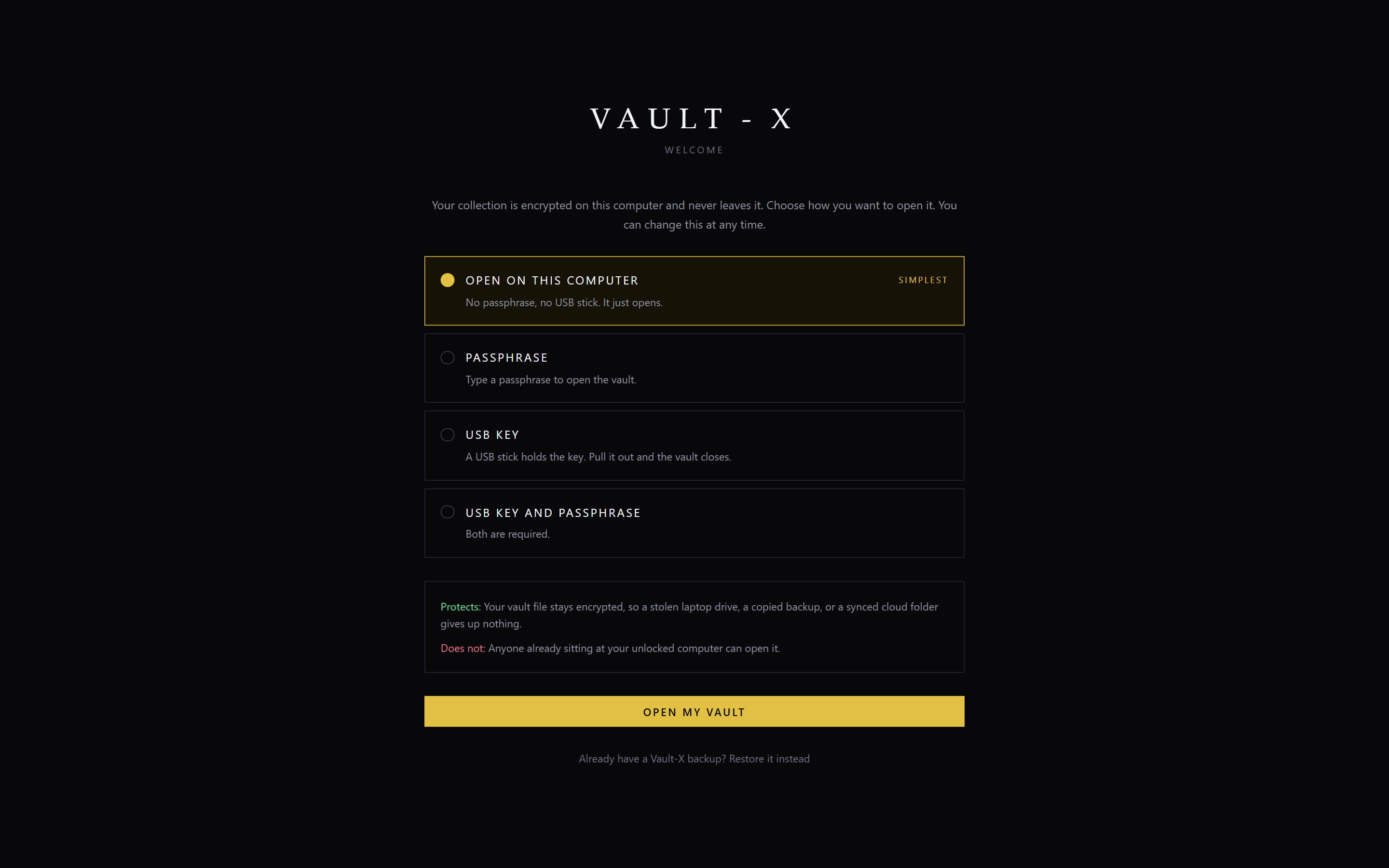
The Vault-X welcome screen offering four protection levels, with Open on this computer selected and marked Simplest, and a panel below stating what that level protects against and what it does not.
Every level states what it does not protect against. The default opens with no prompt, and says so plainly rather than implying it stops someone at your desk.
LevelTo open it Protects againstDoes not protect against
Opens on this computer
default
Nothing, it just opensA stolen laptop drive, a copied backup, a synced cloud folderSomeone at your unlocked computer
Passphrase Type a passphraseAnyone without it, including other accounts on the machineA keylogger. Forgetting it means the data is gone
USB key Plug in the stickAnyone without the stick, even with full access to the machineSomeone who takes the stick. Losing every copy
USB key and passphrase BothA stolen stick alone, or a known passphrase aloneLosing either one permanently
Recovery

What happens when the drive dies

Holding your own keys means nobody can hand your data back to you. So Vault-X writes one encrypted file containing every record, photograph and video, sealed with a passphrase you choose. Restore it on a new computer and the collection comes back.
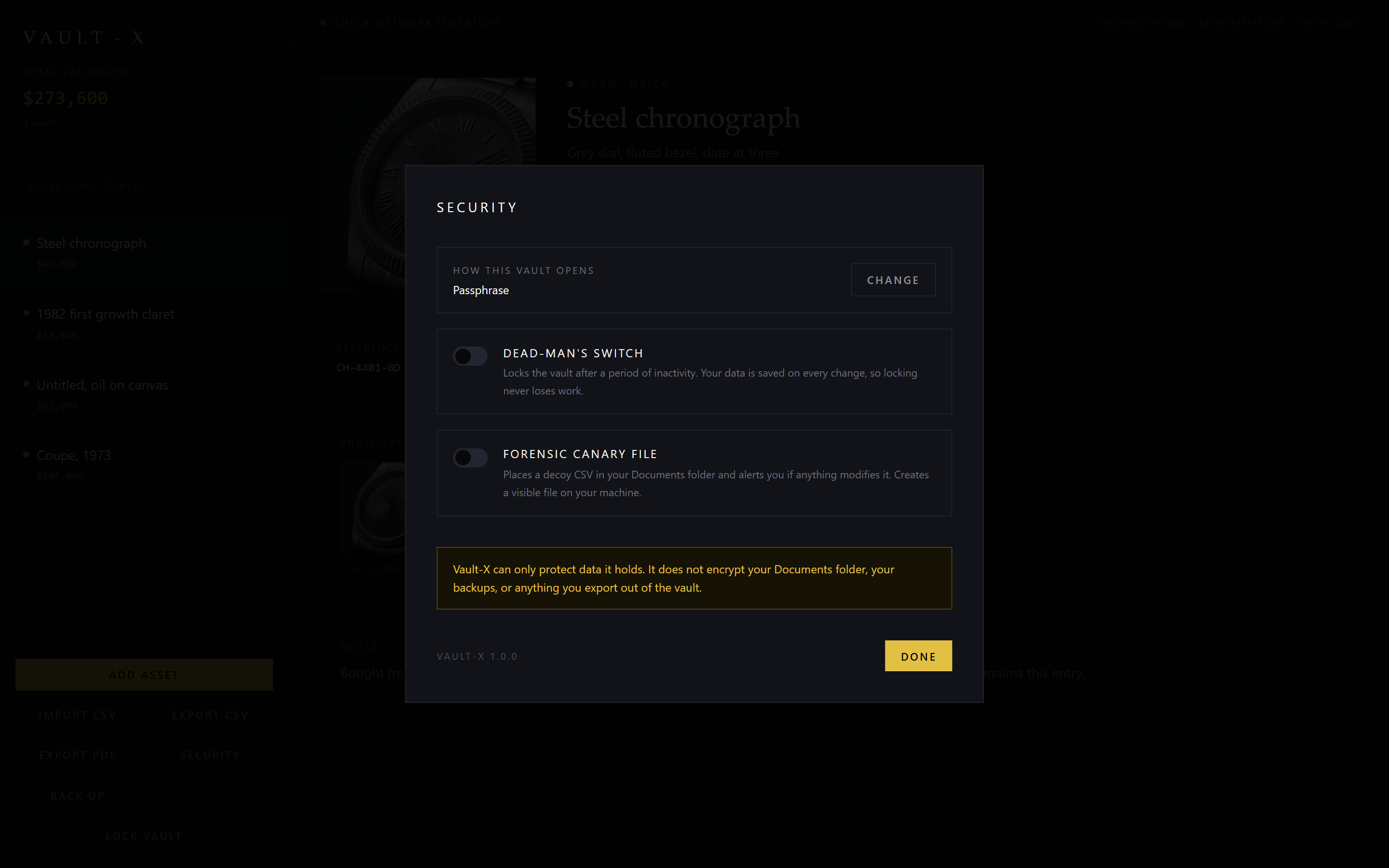
The Vault-X backup dialog, asking for a backup passphrase and explaining that the file contains every asset, photograph and video.
The backup has its own passphrase, on purpose. If your vault opens automatically on this computer, that convenience dies with the machine. The archive has to carry its own way in.
Plainly

What Vault-X does not do

  • It does not stop malware already running on your computer, or a keylogger. No local app can, and anything claiming otherwise is selling you something.
  • The default level is convenience first, on purpose. It stops someone reading a stolen copy of your files. It does not stop someone using your unlocked PC.
  • CSV and PDF exports are plain text by definition. Once exported, that file is on its own.
  • There is no recovery without a backup. No backdoor, no reset, no support ticket that can retrieve your data.
  • Windows 10 and 11 only. There is no Mac, iPhone or Android version.
  • The installer is not code-signed, so Windows warns on first run. Verify the checksum in the footer if you would rather not take our word for it.
Pricing

Buy it once

Both editions are the same program and share the same vault. Upgrading keeps everything you have already entered.

Free
$0Up to 10 items
  • Every feature enabled
  • Unlimited photos and video
  • Encryption, backup, all protection levels
  • No expiry, no account to maintain
Download free
Full
$49.90One-time. Unlimited items.
  • Everything in Free, without the limit
  • Opens the vault you already built
  • No subscription or renewal
  • Free updates within version 1.x
Get Vault-X

All sales are final, so please try the free edition first. It costs nothing, has every feature, and holds 10 items: enough to run Vault-X on your own collection and know exactly what you are buying.

Questions

Straight answers

Is there a home inventory app that doesn't use the cloud?
Vault-X is one. It makes no network requests at all, so there is no account to create, no sync, and no telemetry. Your records and photographs are encrypted and stored only on your own computer. You can unplug the network entirely and nothing about the app changes.
Is there a collection manager without a subscription?
Vault-X is a one-time purchase of $49.90 with no recurring fee. A free edition holds up to 10 items with every feature enabled, and buying the full edition removes the limit while keeping the collection you already entered.
Can I get a refund for Vault-X?
All sales are final. That is why the free edition exists: it costs nothing, has every feature, and holds 10 items, so you can run Vault-X on your own collection and decide before paying anything. Paying only removes the limit and opens the vault you already built. If something is broken, the developer will fix it.
Can I export only part of my collection?
Yes. The all-assets view filters by category, by your own tags, or by a search, and exports exactly what is shown as a PDF. So you can produce a schedule of just the watches for a specialist insurer, or just the items in one location, without editing anything by hand.
What software tracks a wine cellar offline?
Vault-X records producer, vintage, quantity, storage location, price paid and current valuation for each entry, along with photographs, and runs entirely offline on Windows. Unlike a spreadsheet it encrypts the file and can attach images and video to each entry.
Is there a watch collection app that doesn't upload my photos?
Vault-X stores photographs and video encrypted on your own machine and never uploads them. This matters for watches in particular, because the useful photographs show serial numbers, hallmarks and condition, which are the details you would least want in someone else's database.
How do I inventory a collection for insurance?
Record each item with its make, model, reference or serial number, date and price of acquisition, current valuation, and photographs showing identifying marks and condition. Vault-X exports exactly that as a PDF with images included, and keeps the working record encrypted in the meantime.
What happens to my data if my hard drive fails?
Vault-X writes a single encrypted backup file containing every record, photograph and video, protected by a passphrase you choose. Restoring it on a new computer brings the whole collection back. Because there is no cloud, this backup is the recovery path, so keep a copy somewhere other than the machine running the app.
Does Vault-X work on Mac or on a phone?
No. Vault-X is Windows 10 and 11 only. There is no macOS, iOS or Android version.
Why does Windows warn about the installer?
The installer is not code-signed, so Windows SmartScreen shows a blue 'Windows protected your PC' screen on first run. Click More info, then Run anyway. A published SHA-256 checksum lets you verify the download independently.